Boxee

Boxee
License:
Free (GPL) Source code
Language:
English
Developer:
Developer's website
OS:
Mac OS X
Updated:
See detailed info

Softonic review

Nick Mead

“Open source media center with Apple remote access”

by Nick Mead about Boxee

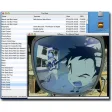
Boxee is a revision of the media center XBMC, with a much newer look, feel and lots more glossy features. It's designed as a one-stop media centre that is best controlled by a remote control on a big screen.

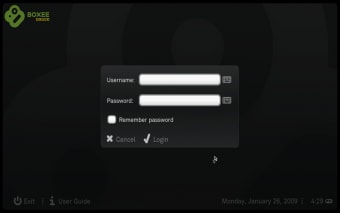
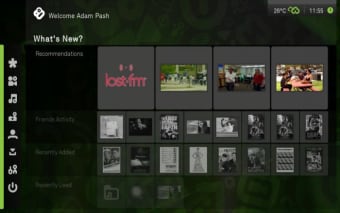
Using it on a keyboard on your Mac screen is possible but as I found, becomes a headache very quickly. For a start, annoyingly you can only use it in full-screen mode. As soon as you start Boxee, it darkens the screen and takes over the whole thing. The only way to get back to your desktop is to shut it down, which is a real pain. The interface at least is very good looking and it feels like much more than your average media center.

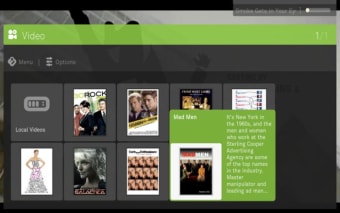
When you first run Boxee, it will start scanning your local Movies, Music and Pictures folders looking for media. In doing so, it will enable you to see cover art, reviews and synopsis related to your music and movies. Your content will be automatically shared unless you go to the Boxee homepage and change your settings.

If you've got an Apple remote, then I highly advise using it as the mouse cursor disappears completely and you have no control over the keyboard. Moving the mouse about does select different options but with no cursor so it's a bit like fumbling around in the dark. To activate the remote, go to Settings>System>Apple Remote and enable 'Always Running'. Note though, that this may mean that the Apple Remote does not work with other apps while using Boxee.

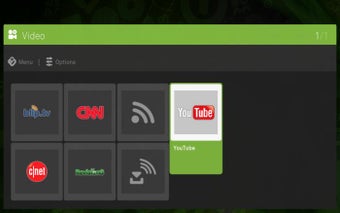
I can see how Boxee could be useful for someone who watches a lot of video content online. For instance, you can link it to Netflix, Hulu and YouTube etc to watch content from those sites although you'd still need to be able to do it on a big screen and with the remote to make it worthwhile.

If you've got a big screen or want a complete change from Frontrow, Boxee is a nice idea but if you don't, you won't find much to get excited about.

Pros
  • Brings all your media together
  • Glossy interface
  • Remote control integration
Cons
  • Only available in full screen mode
  • Apple remote may not work with other apps while using Boxee
Free Download Boxee 0.9.23.15885

Boxee is virus free

We have analyzed the latest version of Boxee with 30 antivirus engines and it is virus free. See analysis results.

TESTED VIRUS FREE - Softonic GUARANTEED

Review and rate Boxee

Your avatar

Your opinion is important.
Help other users - be the first to review this program.

Review
  1. Maximum: 75 characters

  2. See example

Pros and Cons
Rate
  1. What rating would you give Boxee?

    You need to fill in all fields

    • Usability:

      Not rated
    • Stability:

      Not rated
    • Installation:

      Not rated
    • Functionality:

      Not rated
    • Appearance:

      Not rated
    • Overall rating:

      Not rated
  2. Don't worry, we won't make your email address public.

You're not allowed to share serial numbers, cracks, etc. or link to pages that contain them. If you do, your user account will be deleted, your IP address logged and legal action will be taken.

Get started - just ask a question!

Write a title for your question.

Alternativesto Boxee

  • In English:
    RadioRecorder
    RadioRecorder

    Easily record Shoutcast and Icecast streaming radio shows

    Softonic rating:
    • 8/10
    User rating:
    • 8/10
  • Better rating:
    FStream
    FStream

    Listen to and record online radio easily

    Softonic rating:
    • 8/10
    User rating:
    • 6/10
Compare with Boxee
Download rank: Streaming & Broadcast

16 of 49

Softonic rating:
  • Good
  • 7/10
Your rating:
Your rating
  • 0

Review and rate this program

Top Downloads: Streaming & Broadcast

  • United States
  • Global

  1. RealNetworks original media player for Mac

Older versions of Boxee

Reviews of Boxee in other languages